 Auraloft
Calming sounds for focus, study, and sleep
Auraloft plays white noise, brown noise, rain, ocean, forest, cafe, and fireplace sounds on Windows and iPhone. Mix two at once, set a focus timer, and keep playing in the background. No account. No ads.
iPhone is in Apple review; the App Store page appears when Apple approves it.
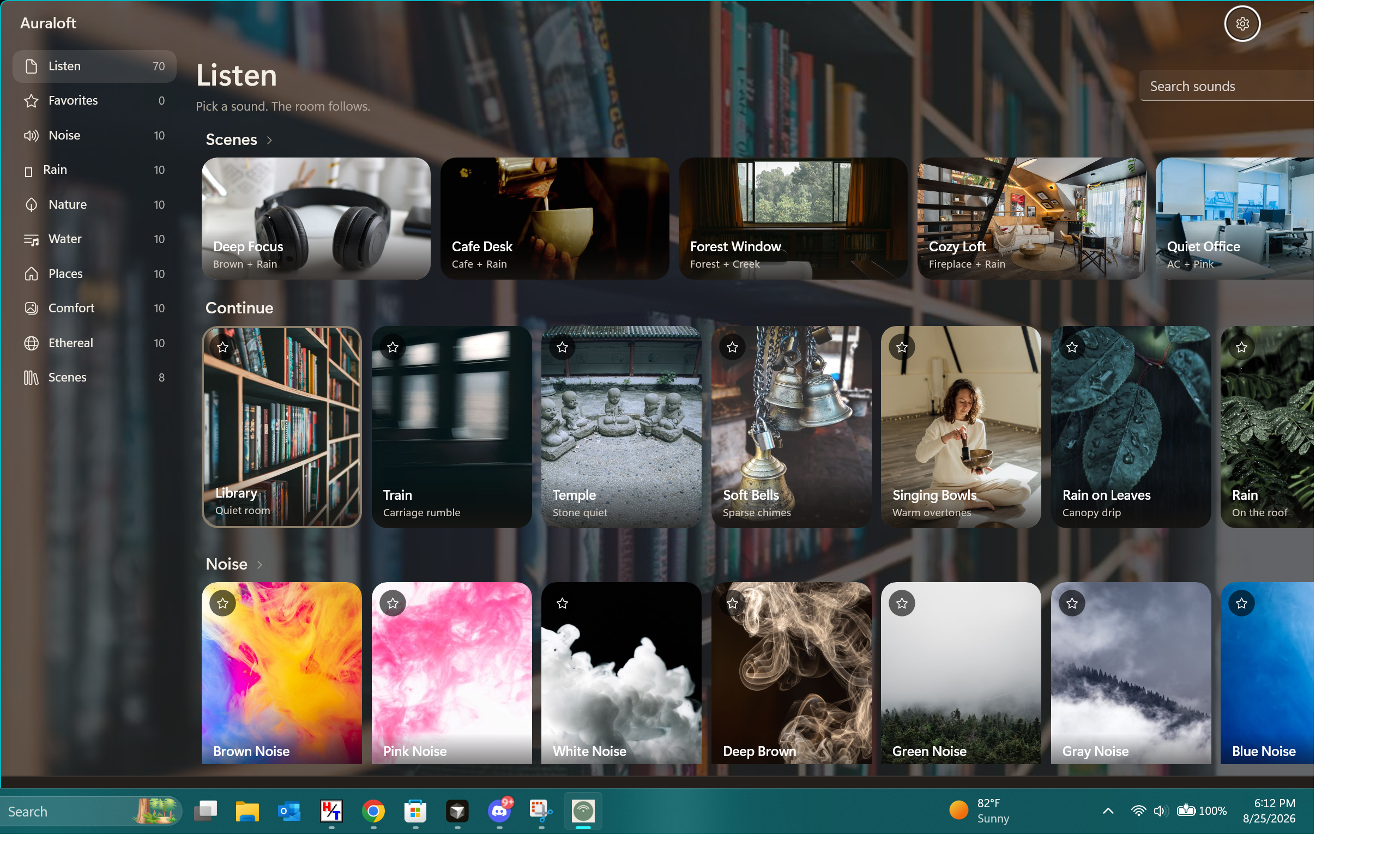
Everything you need to stay in the zone
A quiet, focused sound app — nothing to sign into, nothing to scroll.
Noise for focus
White, brown, pink, and green noise to mask distractions while you work or study.
Nature & rain
Rain on the roof, ocean waves, forest, creek, and more to help you relax.
Cozy backgrounds
Cafe chatter, a crackling fireplace, and warm room tones for reading and unwinding.
Mix two sounds
Layer a second sound — like brown noise under rain — and save it as a scene.
Focus timer
Set a session length and the sound fades out gently when time is up.
Keeps playing
On Windows it lives in the system tray with a compact player. On iPhone it keeps playing in the background.
Dozens of sounds
Free includes brown noise, pink noise, rain, forest, ocean, cafe, fireplace, and singing bowls. Plus unlocks the full library.
Auraloft Plus
Unlock the full library, two-sound mixing, and saved scenes. Windows Plus also includes the compact player.
Windows and iPhone are separate purchases. Cancel Windows Plus in Microsoft Store → Payments & billing. Cancel iPhone Plus in iPhone Settings → your name → Subscriptions. Windows yearly may include a trial at checkout; Apple Plus does not unless Apple shows one on the purchase sheet.
Questions
Is Auraloft free?
Yes. Eight sounds and the focus timer are free. Auraloft Plus unlocks the full library, mixing, and scenes. Windows Plus also includes tray and compact-player features.
Does it work offline?
Yes. All sounds are built into the app, so it plays with no internet connection and no account.
Can I play two sounds at once?
Yes, with Plus you can mix a second layer — for example brown noise under rain — and save it as a scene.
Does it keep playing in the background?
Yes. On Windows it runs from the system tray. On iPhone it keeps playing with the screen off.
Is Windows Plus the same as iPhone Plus?
No. Each store is its own purchase. A Microsoft Store license does not unlock the iPhone app, and an App Store purchase does not unlock Windows.
What devices are supported?
Windows 10 and Windows 11, and iPhone. The iPhone app is in Apple review.